Super Nintendo · Partial English preview · 0.1.0
Shuushoku Game
Partial translation: 40 opening dialogue records and selected menu labels are translated inside the game. Names, name-entry instructions and keyboard, title artwork and the remaining story are still Japanese. English dialogue is condensed to fit the original text boxes. This is an early playable preview; it is not a complete English translation. Exact coverage & change ledger · Download IPS patch · Translation source
Reach the translated opening
- Start the game, then press the SNES Start button to skip the opening sequence.
- Press SNES A at the title screen.
- On each of the five Japanese name-entry screens, press SNES Start once to accept the default name. Wait for each transition before pressing again.
- The translated opening begins after the fifth name. Press SNES A to advance dialogue.
Names remain Japanese. The first test reached 31 of the 40 translated dialogue records and continued to the bedroom/day-one menu. Nine additional patched records have static checks but were not reached in that pass.
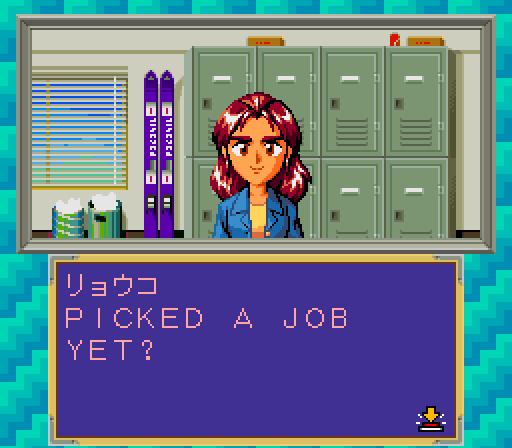
Archived opening preview · 0.1.0
This player retains the original preview cartridge and save identity. It can restore snapshots made with the first English preview. Open the current English edition →
Partial English preview · 0.1.0
Click Start to load the cartridge and enable sound.
Ready. Start the game to play.
Keep your progress
Use the game's own save option when available. Browser snapshots also let you return to this exact moment. Export a file backup before clearing browser data or changing computers.
No browser snapshot saved
Japanese and translated editions use separate save identities. Snapshots are specific to this ROM and SNES core.
Controller & keyboard
Connect a browser-compatible controller, click the game, then press a controller button. Use Configure controls to select Player 1 and remap buttons. The controller panel above can recheck a device after sleep or disconnection.
Arrow keys move the cursor. SNES A = Z, B = X, X = A, Y = S, L = Q, R = E, Start = Enter, Select = V. The button labels follow the original SNES layout.
The game pauses when you leave the tab. Click Resume when you return.