Super Nintendo · English edition · 1.0.2
Shuushoku Game
Play the English translation of this Japanese job-hunting drama.
The opening cinematic, story, interviews, endings, location thoughts and game menus are translated. Character names remain editable. The supplied Japanese edition is preserved separately.
AI play and a live walkthrough are available beside the game. The cartridge remains English 1.0.2, with its existing snapshots. Version 1.0.2 improves three English lines after an additional Japanese-to-English text review. Playthrough and controller test results.
AI, walkthrough and additional branch tests · Browser feature source
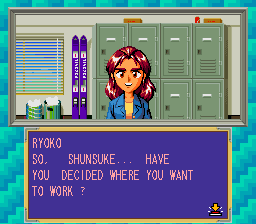
Translation coverage & change record · Download English IPS patch · Translation source · In-game screen
Starting and saving
Start the player, watch the opening or skip it with SNES Start, then choose New Game at the title. Accept or edit each character's name to begin the story.
This edition has its own snapshots. The archived 1.0.1 edition keeps existing 1.0.1 snapshots. The archived 1.0.0 edition keeps existing 1.0.0 snapshots; the archived opening preview keeps 0.1.0 snapshots. Continue an existing snapshot in its matching player and export a backup before changing browsers.
Custom names can use six English letters. B removes a highlighted cell; some default-name cells contain two letters. Select switches English and hiragana input.
Interview password codes retain their original hiragana. Use Select on the name screen to enter them.
The original Japanese game-title logo is retained as artwork.
English edition · 1.0.2
Click Start to load the cartridge and enable sound.
Ready. Start the game to play.
Keep your progress
Use the game's own save option when available. Browser snapshots also let you return to this exact moment. Restoring a snapshot resumes play automatically. Export a file backup before clearing browser data or changing computers.
No browser snapshot saved
Japanese and translated editions use separate save identities. Snapshots are specific to this ROM and SNES core.
Controller & keyboard
Connect a browser-compatible controller, click the game, then press a controller button. Use Configure controls to select Player 1 and remap buttons. The controller panel above can recheck a device after sleep or disconnection.
Arrow keys move the cursor. SNES A = Z, B = X, X = A, Y = S, L = Q, R = E, Start = Enter, Select = V. The button labels follow the original SNES layout.
The game pauses when you leave the tab. Click Resume when you return.